
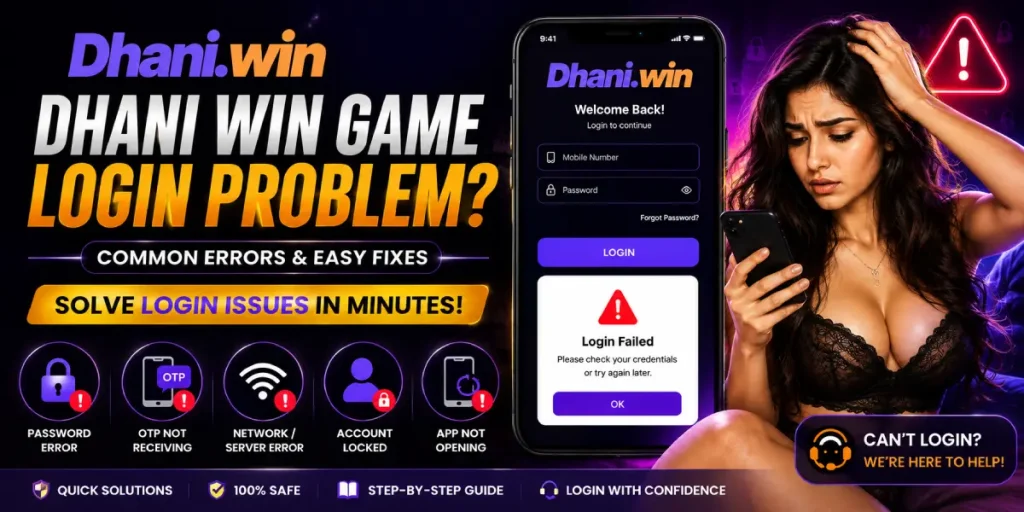
If you are facing a Dhani Win game login problem, you may be unable to access your account because of an incorrect password, missing OTP, network issues, app errors, device restrictions, or temporary server problems. In some cases, the Dhani Win website may not open at all, while the application may keep loading or close automatically when you try to log in.
This guide explains the most common Dhani Win game login problem causes and practical steps you can try to restore access to your account.
Important: Only use a Dhani Win login page or app source that you have independently verified as legitimate. Avoid entering passwords, OTPs, UPI PINs, or other sensitive information on unfamiliar websites.
What Is the Dhani Win Game Login Problem?
The Dhani Win game login problem refers to situations where a user cannot successfully sign in to their account. The issue can appear in several ways, including:
- Login page not opening
- Website showing a network error
- App remaining stuck on the loading screen
- Application closing automatically
- OTP not arriving
- Invalid mobile number message
- Incorrect password error
- Account showing as locked or restricted
- Different-device error
- Login failing after changing phones
- Temporary server or maintenance errors
The correct solution depends on the specific error displayed on your screen.
Dhani Win Game Login Problem Solve: First Things to Check
Before changing account settings or reinstalling the application, try these basic troubleshooting steps:
- Check whether your internet connection is stable.
- Switch between Wi-Fi and mobile data.
- Close the Dhani Win application completely and reopen it.
- Restart your phone.
- Make sure your phone’s date and time are set automatically.
- Check whether the application has a pending update.
- Try accessing the service again after some time if there appears to be a server-side problem.
- Do not repeatedly enter incorrect passwords or OTPs.
If the problem continues, identify the exact error before attempting more advanced fixes.
Dhani Win Game Website Not Opening
If the Dhani Win game website is not opening, the issue may be related to your browser, internet connection, DNS, website availability, or the particular link you are using.
Try the following:
- Refresh the page.
- Open the page in another browser.
- Clear the browser cache.
- Try a different internet connection.
- Check whether other websites are opening normally.
- Avoid links received from unknown sources.
- If the service appears to be temporarily unavailable, wait and try again later.
If you are searching for a Dhani Win official login link, verify the address through a trusted source before entering any account information. Do not assume that a search result or third-party page is an official login page.
Dhani Win App Auto Back Problem
A Dhani Win app auto-back problem can occur when the application crashes or closes as soon as you reach the login screen.
You can try:
- Restarting the device.
- Closing other applications running in the background.
- Checking available phone storage.
- Updating the app if an update is available.
- Clearing the application’s cache.
- Reinstalling the application only if you can verify that you are using a legitimate source.
If the app continues to close immediately, the problem may be related to compatibility or an issue with the current app version.
Dhani Win App Loading Problem
Is the app stuck on the logo or loading screen?
A Dhani Win app loading problem can be caused by a weak connection, temporary service interruption, corrupted cache, or an outdated application.
Try this sequence:
Internet check → Restart app → Restart phone → Clear cache → Update app → Try again later
Avoid repeatedly tapping the login button because it may create additional failed-login attempts without fixing the underlying issue.
Dhani Win Application Not Opening Fix
If the application does not open at all, check whether your phone meets the application’s requirements and whether enough storage is available.
You can also try clearing the app cache:
Android Settings → Apps → Dhani Win → Storage → Clear Cache
The exact menu names can differ depending on your Android version and phone manufacturer.
If clearing the cache does not help, you can consider reinstalling the application from a source you have independently verified. Remember that clearing data or reinstalling may remove locally stored login information.
Dhani Win Server Down Today Login Error
Sometimes the Dhani Win server down today login error may not be caused by your phone or internet connection.
Signs of a possible service-side problem include:
- The website fails for multiple users.
- The login page repeatedly times out.
- The app remains stuck at the same point.
- Several features stop working simultaneously.
- You receive a generic server or maintenance message.
In this situation, changing your password or repeatedly reinstalling the app is unlikely to help. Wait for the service to become available again and check any verified service announcements before trying another login.
Dhani Win Game OTP Not Coming
One of the most common login difficulties is Dhani Win game OTP not coming.
If you are asking, “Why am I not getting Dhani Win OTP code?”, try these steps:
- Confirm that you entered the correct mobile number.
- Check your mobile network.
- Make sure your phone can receive SMS messages.
- Check whether your SMS inbox is full.
- Wait a few minutes before requesting another OTP.
- Avoid repeatedly requesting codes.
- Restart your phone and try again.
- If the problem continues, contact the platform through a verified support channel.
Never share an OTP with another person, even if they claim to be customer support.
Dhani Win App Mobile Number Already Registered
The Dhani Win app mobile number already registered message generally means that the number has already been associated with an existing account.
Instead of creating multiple accounts, try using the existing account’s login or password-recovery process.
If you believe the number was registered without your permission, contact support through a verified channel and provide only the information necessary to establish ownership.
Dhani Win Login Password Forgot: How to Reset
If you are searching for ” Dhani Win game login password forgot how to reset, look for the password-reset or “Forgot Password” option on the verified login page.
The normal process may involve:
- Open the verified login page.
- Select Forgot Password or the equivalent recovery option.
- Enter the registered mobile number.
- Complete the requested verification.
- Enter the OTP if one is sent.
- Create a new password.
- Return to the login page and sign in again.
Use a strong, unique password and never send it to anyone through chat or social media.
Dhani Win Login Invalid Mobile Number Error
An invalid mobile number message can happen because of an incorrectly entered number, unsupported format, or an account-registration mismatch.
Check:
- Whether every digit is correct.
- Whether you are using the mobile number associated with the account.
- Whether the correct country/number format is selected.
- Whether the number has recently changed.
If everything is correct but the error remains, account support may need to investigate the issue.
Dhani Win Account Locked: How to Unlock
If you are searching for ” Dhani Win account locked how to unlock, do not repeatedly attempt to log in with different passwords.
An account may become temporarily restricted after unusual activity, repeated failed login attempts, or other security checks.
The safest approach is to:
- Stop repeated login attempts.
- Use the account-recovery option if available.
- Check for an official security or account message.
- Contact verified customer support.
- Be prepared to verify account ownership.
Do not pay an individual claiming they can “unlock” your account, and never provide your OTP or password to them.
Dhani App Different Device Use Login Problem
A Dhani app different device use login problem may occur after switching to a new phone or attempting to access the same account from another device.
If you recently changed phones:
- Use the same registered mobile number.
- Complete the requested verification.
- Sign out of the old device if you still have access.
- Avoid creating another account simply because the new device is not accepted.
- Contact verified support if the device restriction remains.
If you see a message specifically mentioning “different device,” follow the application’s official account-security instructions rather than trying unofficial workarounds.
Dhani Win Multiple Account Login Issue
If you are experiencing a Dhani Win multiple account login issue, avoid repeatedly switching between accounts on the same device.
Multiple-account restrictions can vary depending on the platform’s current policies. If your account has been restricted, use the official recovery or support process rather than attempting to bypass the restriction.
Dhani Win App Clear Data and Login Track
Clearing application data can sometimes help with corrupted local settings, but it is different from simply clearing the cache.
Before selecting Clear Data, make sure you know the registered mobile number and have access to the required account-recovery method.
After clearing data:
- Reopen the application.
- Enter your registered credentials.
- Complete verification if requested.
- Do not create a new account unless the platform explicitly instructs you to do so.
Why Did My Dhani Win Game Account Get Banned?
If you are asking, “Why did my Dhani Win game account get banned?”, the exact reason depends on the platform’s account and security policies.
Possible explanations can include unusual login activity, suspected violations of platform rules, repeated failed verification, or other security checks.
Do not try to bypass a restriction by creating another account. Instead, contact verified support and ask for the reason and available account-recovery process.
Dhani Win Gift Code Claim Failed Error
A Dhani Win gift code claim failed error can sometimes appear when a code is expired, already used, entered incorrectly, or subject to eligibility restrictions.
If the error appears immediately after login, first make sure your account is functioning normally. Then check:
- Code spelling and numbers
- Expiration status
- Eligibility requirements
- Whether the code has already been redeemed
- Whether the service is temporarily unavailable
Never purchase a supposed “guaranteed” gift code from an unknown person.
Dhani Win Game Withdrawal Login Required Issue
If you encounter a Dhani Win game withdrawal login required issue, make sure you are logged into the correct account before attempting any account-related transaction.
If you are unable to log in, solve the account-access problem first rather than repeatedly attempting a withdrawal.
For any financial transaction, verify the account status and use only the platform’s legitimate and secure payment process. Never provide your UPI PIN, card PIN, password, or OTP to another person.
Dhani Win Login Bonus Not Showing
If your Dhani Win login bonus is not showing, first check whether the promotion has eligibility conditions or an expiration period.
Also check whether:
- You are logged into the correct account.
- The promotion is still active.
- The bonus requires manual claiming.
- You have completed any stated requirements.
- The account has a restriction affecting promotional features.
Promotional rewards should not be assumed to be guaranteed simply because they appear in advertisements or third-party posts.
Dhani Win Customer Care Number for Login Support
If normal troubleshooting does not solve the Dhani Win game login problem, use a customer-support method that you can verify as belonging to the service.
Avoid relying on random phone numbers posted in comments, social media, videos, or unofficial websites. Scammers may impersonate customer support and ask for passwords, OTPs, payment details, or remote access to your phone.
A legitimate support representative should not need your OTP or password to “unlock” an account.
Quick Dhani Win Game Login Problem Checklist
Before contacting support, check the following:
- Internet connection is working.
- Correct mobile number is being used.
- Password is correct.
- OTP can be received.
- App is updated.
- Phone has sufficient storage.
- App cache has been cleared.
- Website is accessible through a verified address.
- Account is not temporarily locked.
- You are not repeatedly attempting failed logins.
- You have not shared your password or OTP with anyone.
Frequently Asked Questions
Why is my Dhani Win game showing a Network Error even though my internet is working?
A network error does not always mean your internet connection is unavailable. The application’s server, DNS, browser, or connection route may also be responsible. Try another network, restart the application, and check again later.
How can I open my Dhani Win account on a new phone?
Install the application only from a source you have independently verified, then use the same registered account details and complete any requested verification. If a “different device” restriction appears, contact verified support instead of attempting to bypass it.
I forgot my Dhani Win password, and the OTP is not being received. How do I log back in?
First, confirm that your registered mobile number is correct and can receive SMS. Wait before requesting another OTP. If messages still do not arrive, use the available account-recovery or verified support process.
Is there a new official link for the Dhani Win game login?
Do not trust a new login link simply because it is described as “official.” Verify the domain through a trusted, independently confirmed source before entering your credentials.
Why does my Dhani Win application close automatically when I press Login?
This can happen because of an outdated application, corrupted cache, insufficient storage, compatibility problems, or a temporary application issue. Restart the device, clear the cache, check for updates, and try again.
My money is stuck inside the game, but my account is blocked. How do I contact support?
Use only a customer-support channel that you can independently verify as belonging to the service. Explain the account-access issue and follow the official account-review process. Never give your OTP, password, UPI PIN, or remote access to someone claiming they can release your funds.